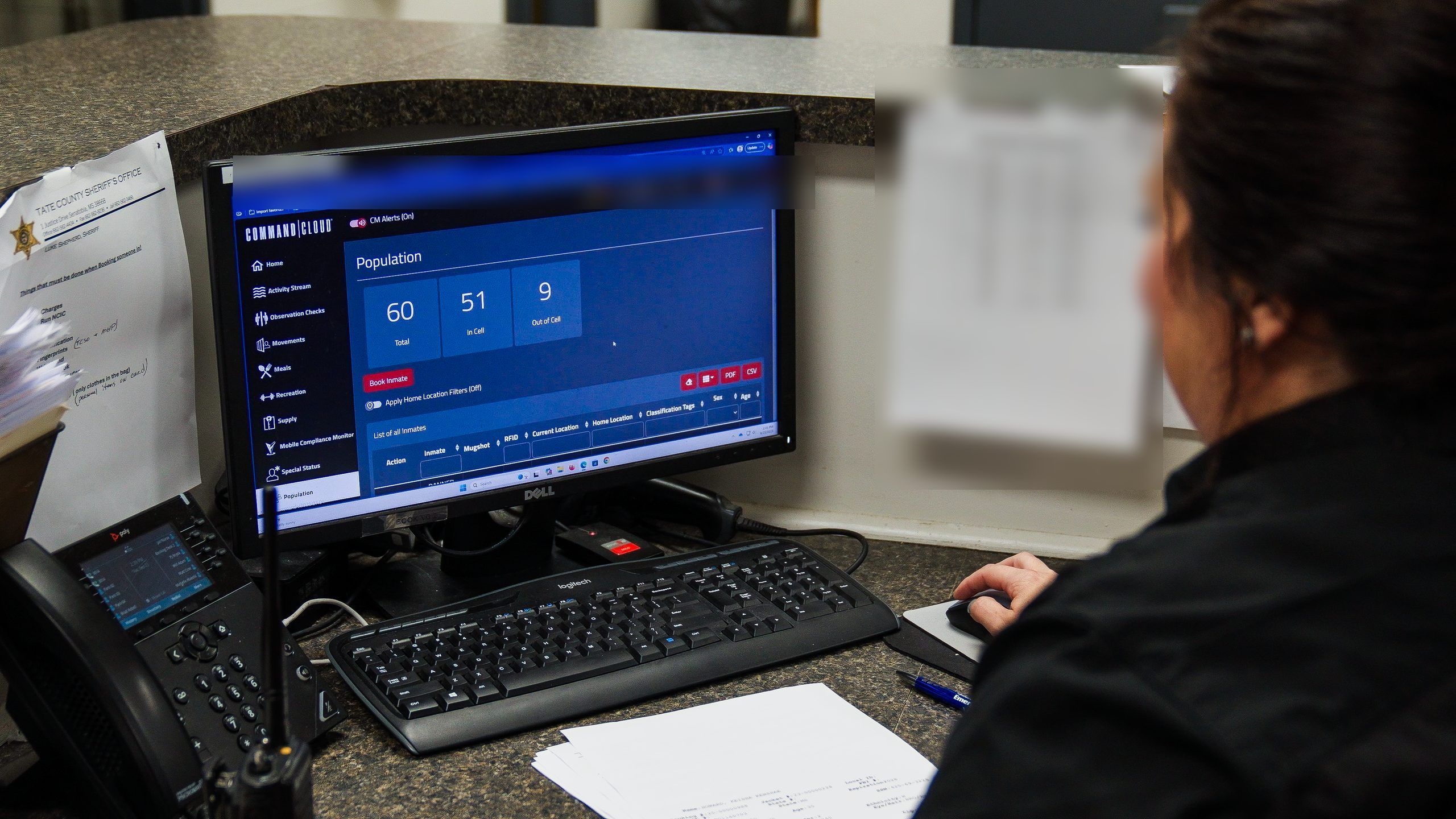
Mission Command: Real-Time Operational Awareness
The desktop side of Command Cloud. See your facility as it happens, not at the end of shift.
Your officers collect more in a shift than anyone can hold in their head. Mission Command puts all of it in front of you live, so you act on what is happening instead of reading about it tomorrow morning.
One Screen. Everything Happening in Your Facility.
Checks, movement, medication, media, and reports, live. Nothing runs on memory. Nothing waits for the end of shift.

Late checks surface too late.
You find out a security check ran long the next morning. Or you never find out at all. By then the shift is gone, the officer is off duty, and the record is whatever somebody remembers.

An attorney asks for six months of records.
Your staff starts digging through binders, drives, and three systems that do not talk to each other. The discovery clock is running the whole time.

Shift change loses what the last shift knew.
Handoff happens in a hallway, out loud, in ninety seconds. Whatever the outgoing shift learned about a housing unit either gets said or gets lost. Usually some of both.
Historical information in seconds
"GUARDIAN RFID allowed us to easily pull historical information on the inmate and was faster and easier than getting information from any of [the] other systems."
Dan Schleusener, Chief Deputy
Buffalo County (NE) Sheriff's Office

Policies and procedures, followed
"It gives me the ability as an administrator to make sure my staff is following the policies and procedures that I have in place."
Chad Wicker, Director
Tate County (MS) Sheriff's Office
Compliance trending up
"The jail has achieved a 98% and higher compliance rate and it has only trended up due to the technology."
Mike Whisler, Inspector
Ramsey County (MN) Sheriff's Office
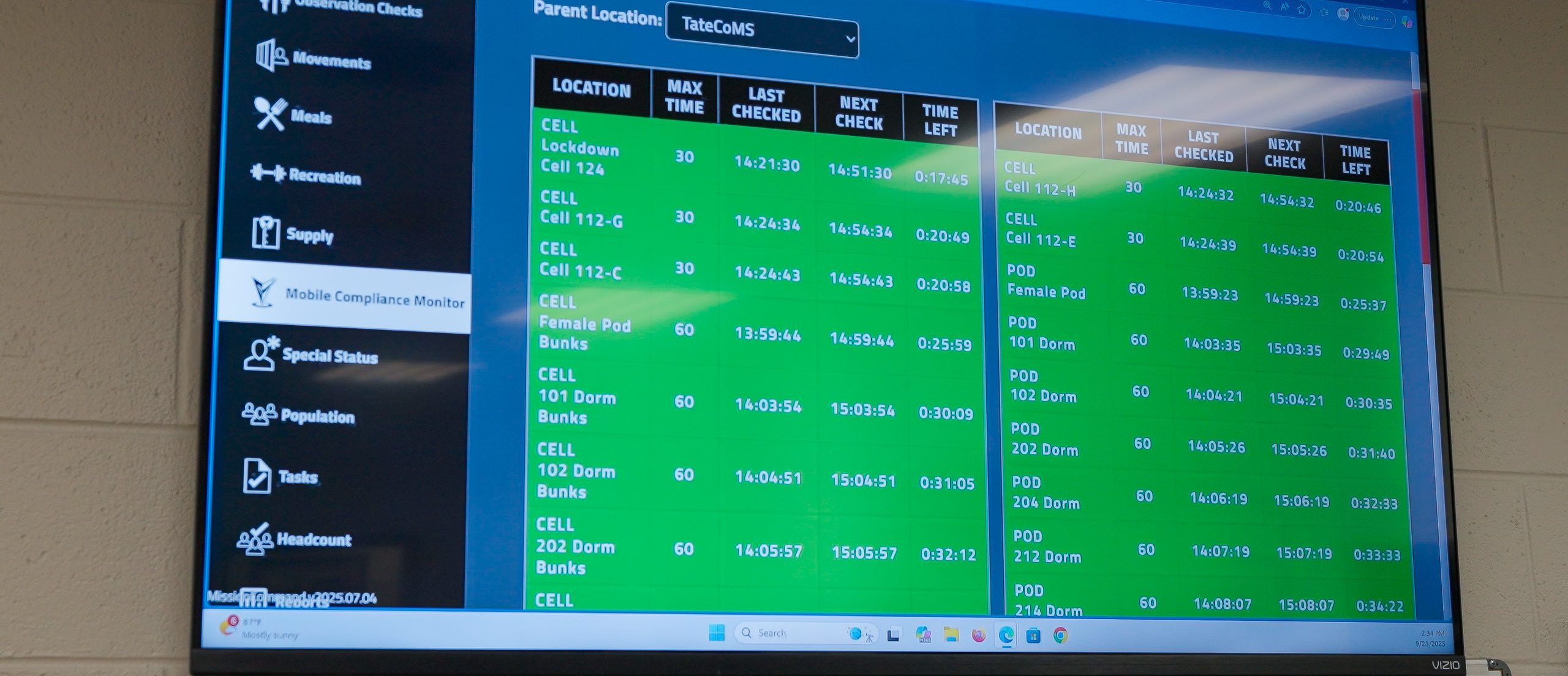
What is Mission Command?
Mission Command is the web console where corrections supervisors watch, review, and act on what their officers capture in the field. It is the workstation half of Command Cloud, the GUARDIAN RFID officer experience platform.
The split is simple. Mobile Command XR rides on the officer's belt and captures at the point of responsibility. Every cell check, every movement, every med pass, every photo. It is where a sergeant, a captain, or a jail administrator sees all of it arrive and does something about it.
Reports live inside Mission Command. One feeds the other. All of it was built for corrections.
How Supervisors See What's Happening
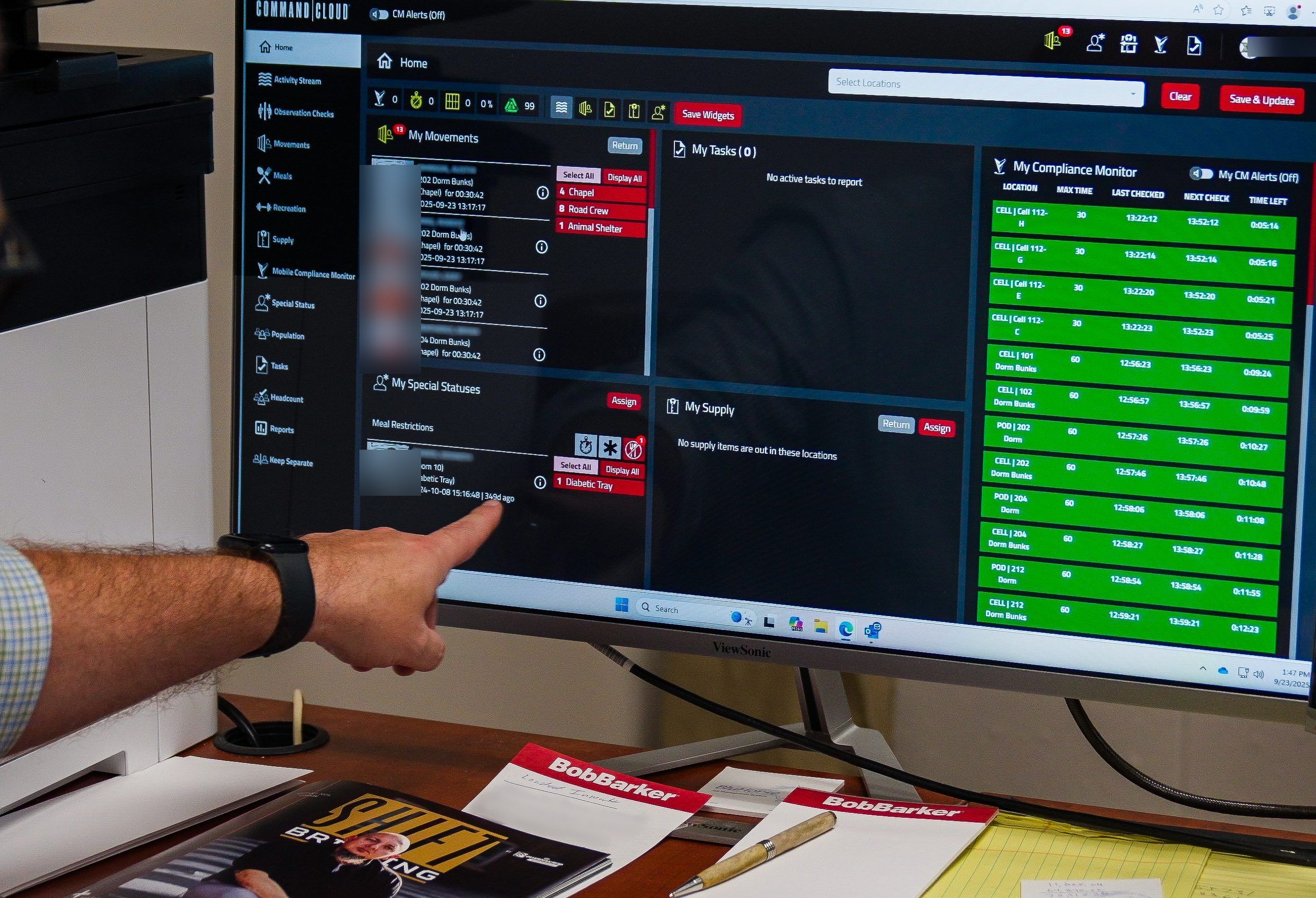
The Compliance Monitor widget runs on the Mission Command home dashboard and counts down. Every cell, every housing unit, in one live table: Location, Max Time, Last Checked, Next Check, Time Left. Rows turn red as time runs out.
A supervisor never has to ask whether checks are current.
The home dashboard is configurable. A captain and a shift sergeant can each build the view their job actually needs, with the widgets that matter to them on top.
What the outgoing shift knew carries into the incoming shift as a record, not as a hallway conversation. The next supervisor opens it instead of hoping somebody remembered to mention it.
Thorough Reporting for Jail Administrators
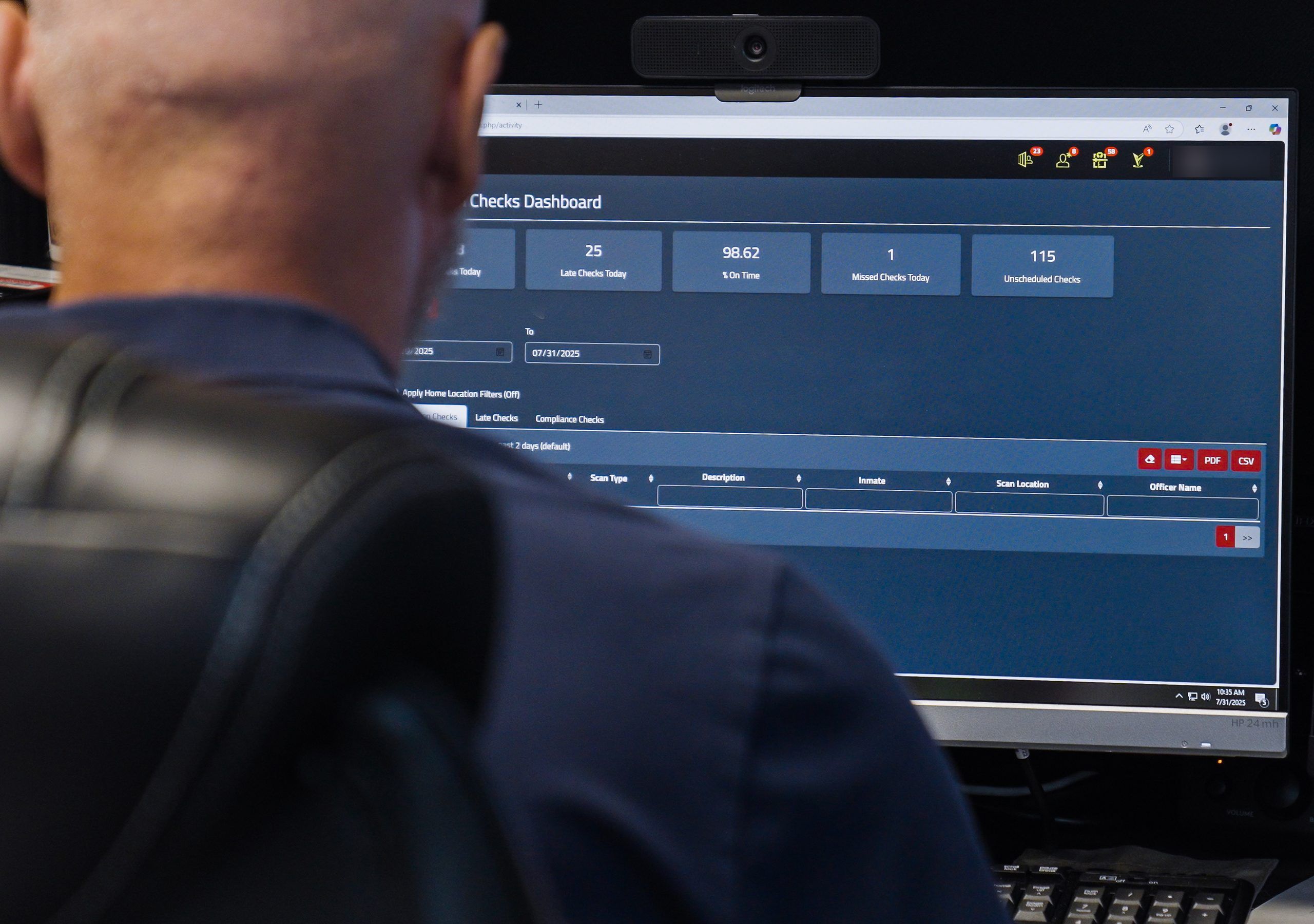
Every dashboard in Mission Command exports as a report. That is the floor, not the feature.
Twelve prebuilt reports are available, too, each with PDF and CSV export. Compliance Late Check returns every check that missed its window and the reason the officer gave. All Module pulls activity across every module at once, for whatever date range you set.
Filters carry into the export. What you see on screen is what lands in the PDF.
Custom views can be built and saved, so the report you need every Monday is one you open rather than one you rebuild. A Report History tab keeps what you have already run, so the same request from the same attorney does not become the same afternoon of work twice.
Late Check Review
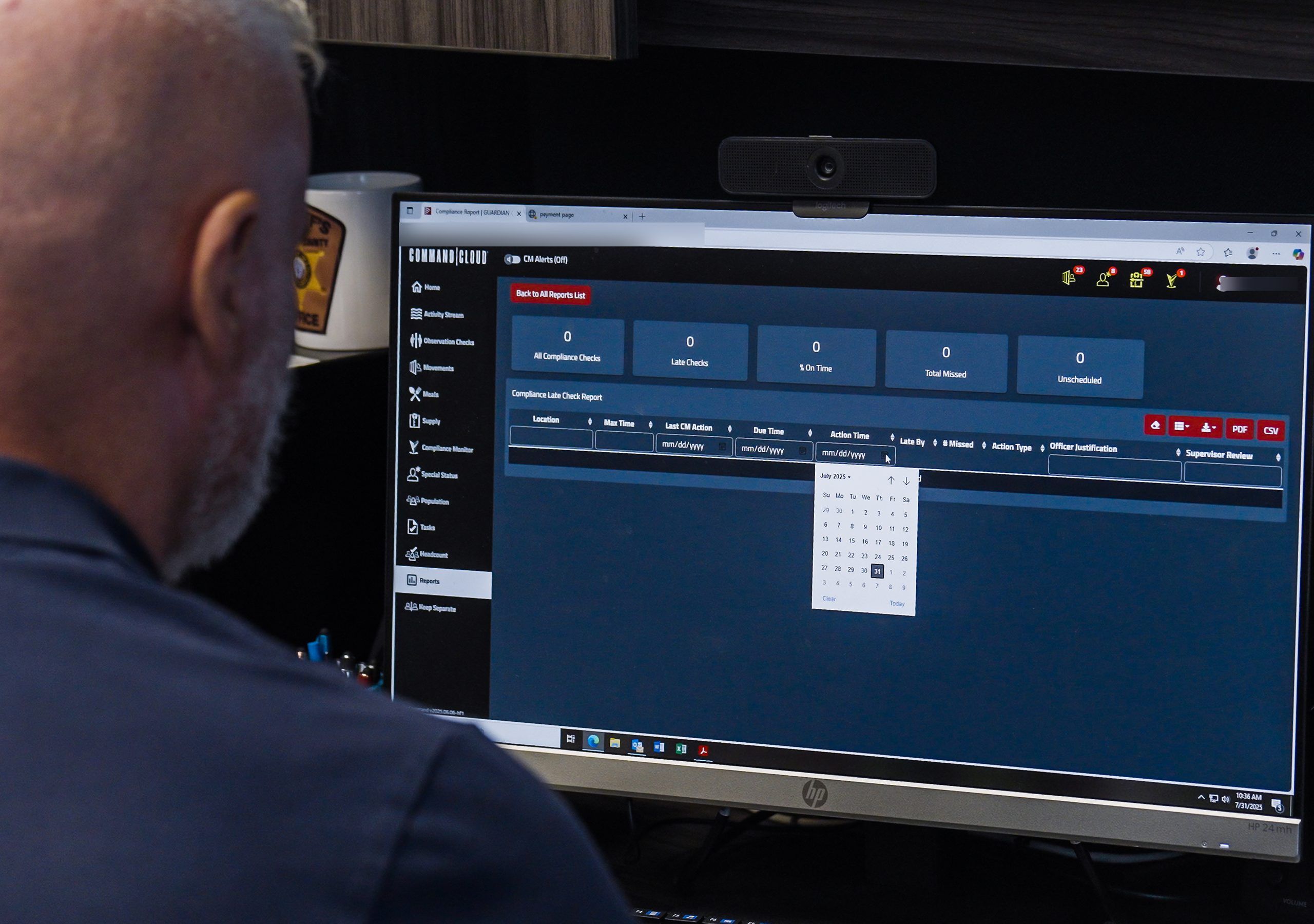
An officer logs a late check in Mobile Command XR and states the reason at the moment it happens. A fight in another unit. A medical response. A transport that ran long.
That justification lands in Mission Command, where a supervisor reviews it and signs off. The sign-off is the part that matters. It turns an exception into a reviewed decision with a name and a timestamp on it.
Facilities without that step end up defending a gap in a log years later with nothing but recollection. Facilities with it have a supervisor's signature on the record from the day it happened.
See Mission Command in Your Facility
Your facility, your housing units, your questions. Not a canned walkthrough.
How Does a Facility Track Out-of-Cell Time?
Automatically, to the second. Mission Command totals lockdown time and movement time for every inmate without anyone adding anything up.
That matters most in administrative segregation and restrictive housing, where out-of-cell time is the number a court, a monitor, or an accreditation body asks for by name. Handing over a spreadsheet someone built is not the same as handing over a system's record.
Movement history is searchable. Where an inmate was, when they moved, who moved them, and how long they were out. Pull it for one person on one day, or for a housing unit across a quarter.
None of it depends on an officer remembering to start a timer.
Find a Photo or Video from Six Months Ago
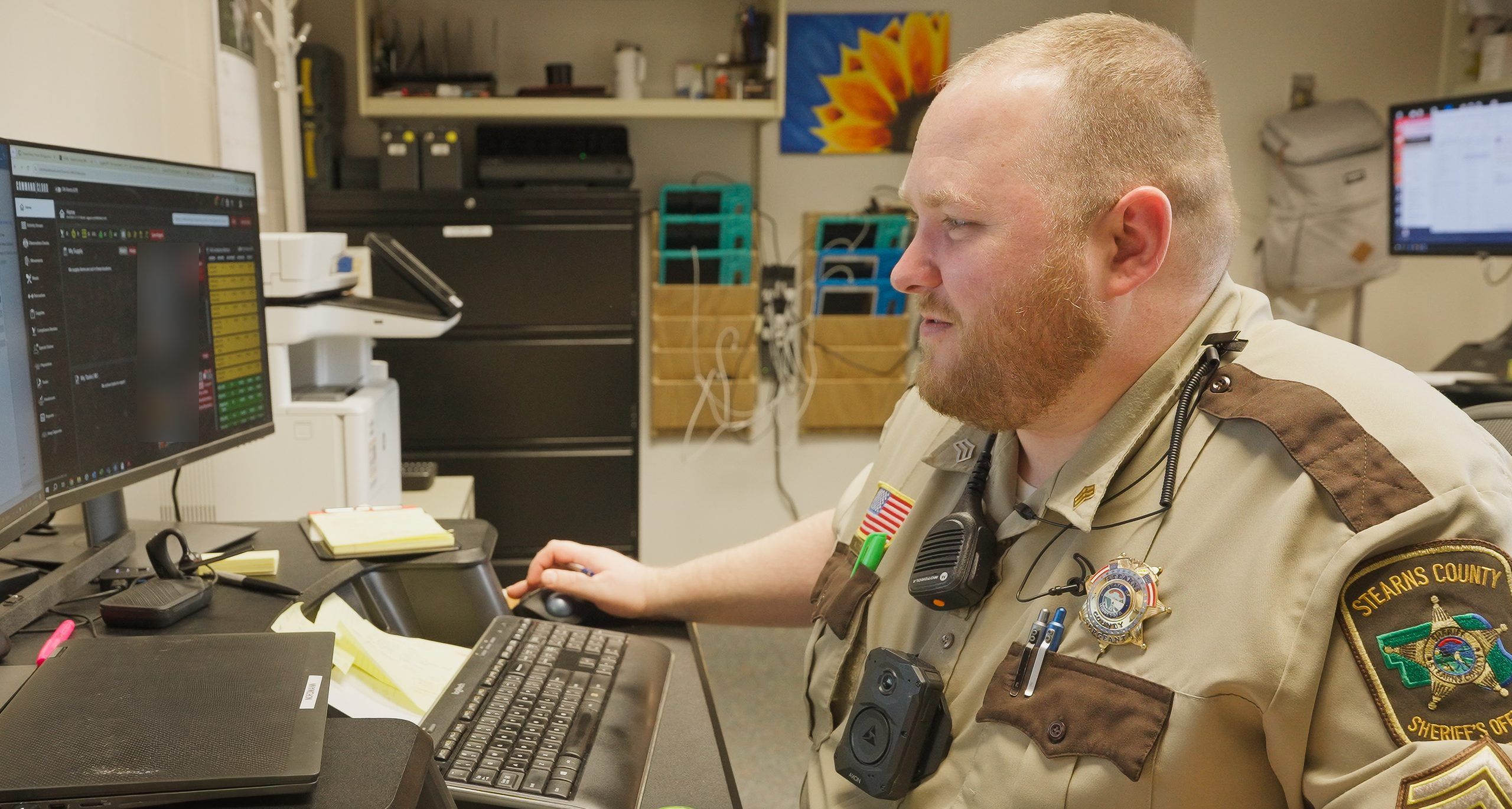
Mission Command's Media Hub holds every image, video, and signature your officers captured in the field, and each file stays attached to the log it came from. The context travels with the file.
Filter by date, housing unit, inmate, or module. An allegation gets made about a cell entry from months ago. The video is a search away, not a records request into your own building.
Fits Alongside Your Jail Management System
Command Cloud is not a jail management system. It does not book people in, hold charges, manage classification, or run commissary. Your JMS is your system of record. Mission Command is your system of execution.
The two connect. Command Cloud has a REST API and supports one-way or two-way interfaces with the platforms most agencies already run, including Motorola Flex, Tyler, CentralSquare, and JailTracker. See the full list of available integrations.
Building the interface is not a six-month project. One agency's IT team connected Tyler Odyssey to Command Cloud in a single afternoon. For Motorola Flex agencies, our integration team builds it at no charge.
| What a JMS does | What Mission Command does | Where they connect |
|---|---|---|
|
Holds the booking record |
Shows what is happening on the floor right now |
Secure API, one-way or two-way |
|
Tracks charges, bond, release |
Reviews and signs off on late checks |
Roster and housing sync |
|
Manages classification and housing |
Tracks out-of-cell and movement time |
Location and movement data |
|
Handles commissary and trust accounting |
Exports any dashboard as a report |
Not applicable |
What Mission Command Costs
Mission Command is included in Command Cloud. It is not sold separately and it is not an add-on module.
Command Cloud pricing scales with the size of your facility. Every edition covers your whole team and unlimited data storage. Adding a supervisor to the console does not add a line to your invoice. No per-seat math. No storage tier to outgrow.
We publish how this works rather than making you ask for it. See Command Cloud pricing.
Frequently Asked Questions
Mission Command is the desktop component of Command Cloud where corrections supervisors monitor and act on activity across a facility. Officers capture in the field on a handheld. Supervisors watch, review, sign off, and report from a desk. It is where a jail administrator sees live compliance status, reviews late checks, tracks out-of-cell time, searches captured media, and pulls the reports an attorney, an accreditation body, or a county board asks for.
Supervisors, shift commanders, and jail administrators, at a desk. It is built for the people who are accountable for what happened on a shift rather than the people executing it. Officers work in Mobile Command XR on the floor, capturing checks, movements, and media as they go. Both sides look at the same data. The difference is vantage point: one captures at the point of responsibility, the other reviews and acts across the whole facility.
Every dashboard is an exportable report, and fifteen prebuilt reports ship with the product. Each exports to PDF and CSV. Filters you set on screen carry through to the file, so what you reviewed is what you hand over. Custom views can be saved and reopened rather than rebuilt each time. A Report History tab retains what has already been run, which matters when the same records request comes back twice from two different offices.
No. A JMS is your system of record: bookings, charges, classification, commissary, release. Command Cloud is your system of execution, covering what officers actually do on the floor and what supervisors do about it. The two are meant to run together, not instead of each other. Command Cloud integrates with the major platforms agencies already run, including Motorola Flex, Tyler, CentralSquare, and JailTracker. The full list of integration partners is published on our site.
Vantage point. Mobile Command XR is the handheld an officer carries, used to capture cell checks, movements, med passes, photos, and signatures at the moment they happen. Mission Command is the desktop console where that data arrives and gets acted on. An officer documents a late check and the reason for it on the handheld. A supervisor reviews and signs off on it at the desk. Same record, two ends of the same shift.
Depth of visualization, not time horizon. Both are part of Command Cloud and both work on the same underlying data. Reporting lives inside Mission Command, which is where day-to-day operational awareness and review happen. Operational Intelligence takes that same data further, into deeper visual analysis for the questions a command staff asks about patterns rather than about this morning. One feeds the other rather than competing with it.
The officer records the reason in the field, on the handheld, at the time the check runs long. That justification routes to Mission Command, where a supervisor reads it and signs off. The sign-off is what makes it defensible: a named reviewer and a timestamp attached to a documented exception. Without it, a late check is a gap in a log that somebody has to explain from memory in a deposition years later.
Automatically, calculated to the second. Total lockdown time and total movement time accrue per inmate as officers document movement in the field. Nobody tallies anything by hand. Movement history is searchable by person, housing unit, and date range, so you can produce out-of-cell figures for one inmate on one day or for an entire unit across a quarter. That is the number courts, monitors, and accreditation bodies request by name.
Yes. Command Cloud has a REST API and supports one-way and two-way interfaces. Agencies commonly integrate with Motorola Flex, Tyler, CentralSquare, and JailTracker, and the full list of integration partners is published on our site. Timelines are shorter than most agencies expect. One county IT team built an interface between Tyler Odyssey and Command Cloud in a single afternoon. For Motorola Flex agencies, our integration team builds the interface at no charge.
Yes. Access is scoped to your agency and to the staff you authorize. Data is encrypted in transit and at rest. Every action taken in Mission Command is attributable to a named account with a timestamp, which is what makes the record defensible rather than merely stored. Nothing a supervisor reviews or signs off on is anonymous, and nothing an officer captures in the field arrives without the identity of the person who captured it.